OpenCode Notch

Your agents live in the notch.

Твои агенты живут в notch.

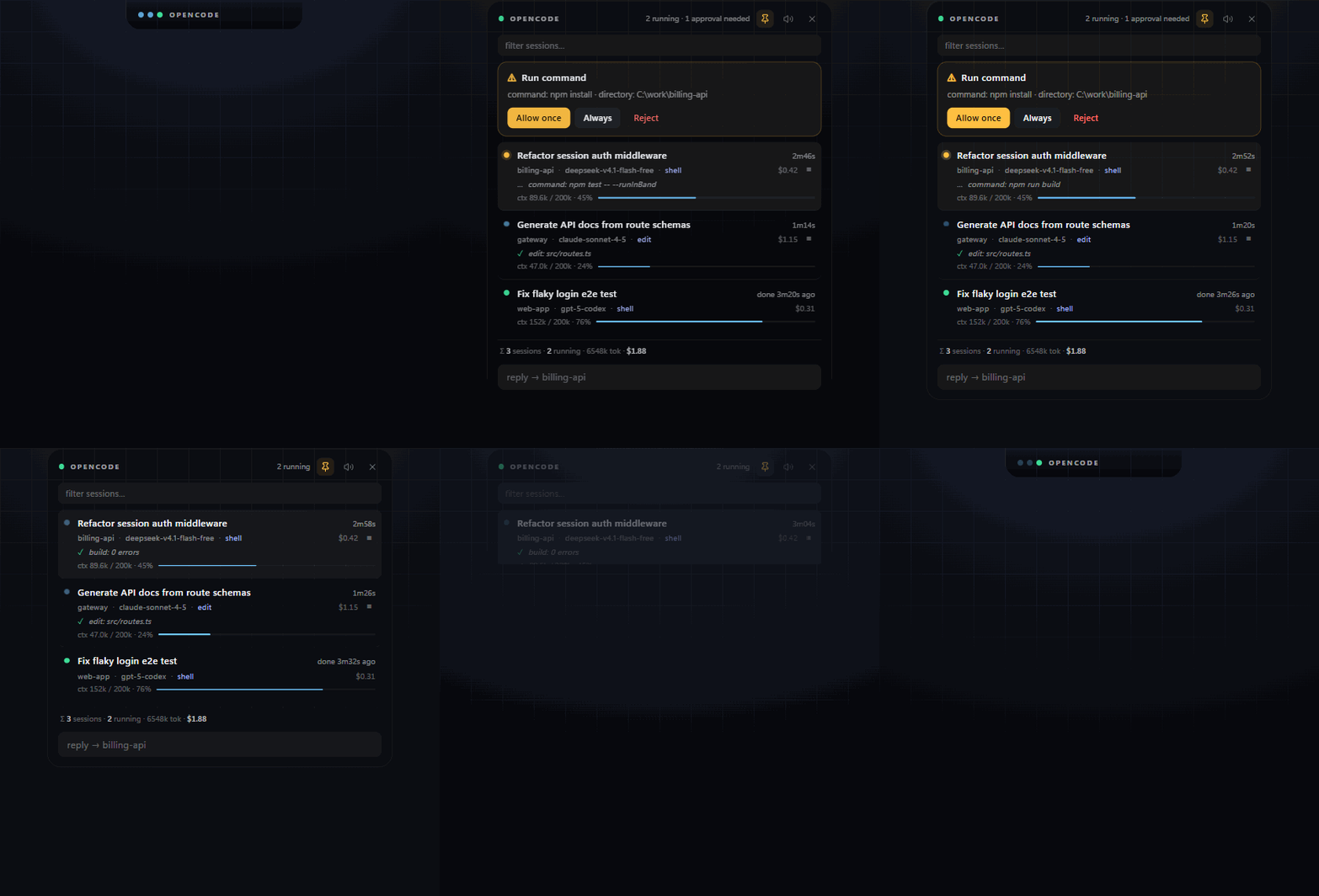
A macOS-style notch for Windows that watches every OpenCode session — approvals, forms, live tool activity and context usage, always one glance away.

Notch в стиле macOS для Windows: следит за сессиями OpenCode — подтверждения, формы, живая активность инструментов и расход контекста всегда на виду.

Panel expanding from the notch

What it does

Что он делает

No plugin, no hooks, no API keys. It talks to the OpenCode background service directly, so it works with whatever you already have running.

Без плагинов, хуков и API-ключей. Он общается с фоновым сервисом OpenCode напрямую — работает с тем, что уже запущено.

Live sessionsЖивые сессии

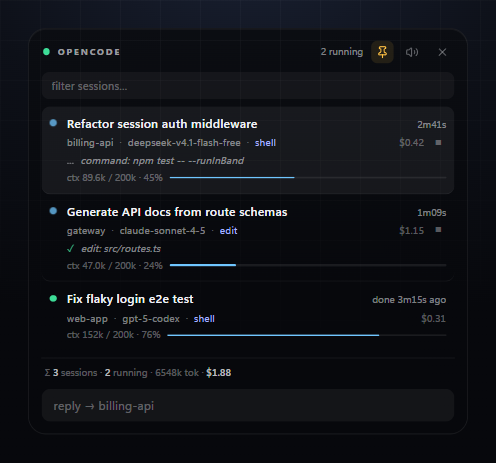
Titles, folders, models, elapsed time and the exact tool call in flight.

Заголовки, папки, модели, время и текущий вызов инструмента.

ApprovalsПодтверждения

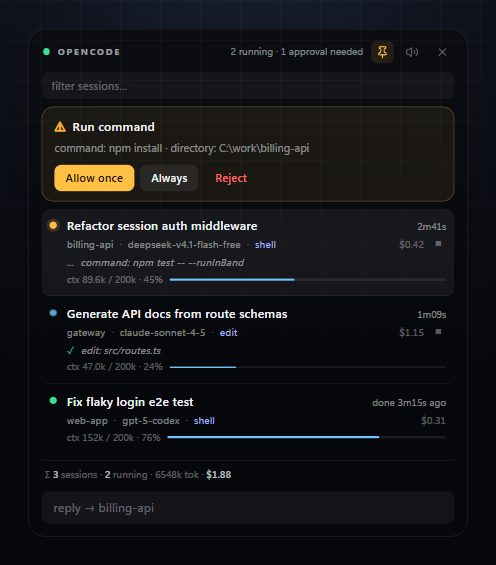
Allow once, always or reject — right from the notch, with a sound cue.

Разрешить раз, всегда или отклонить — прямо из notch, со звуком.

FormsФормы

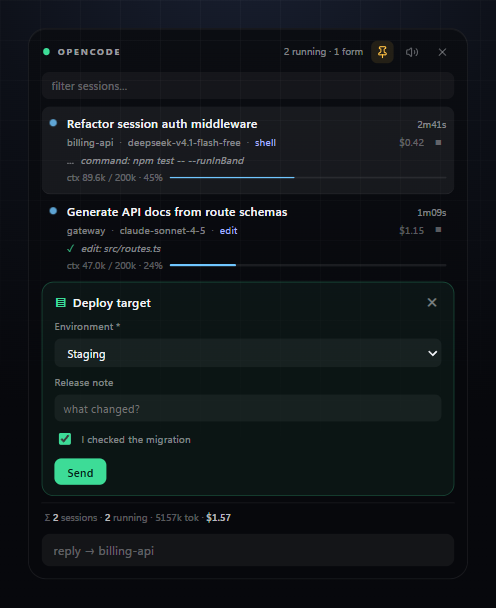
Agent questions rendered as real inputs: selects, checkboxes, validation.

Вопросы агента как настоящие поля: списки, чекбоксы, валидация.

Context usageРасход контекста

Per-session token usage and percentage of the model window, updated live.

Токены и процент окна модели по каждой сессии, в реальном времени.

Quick replyБыстрый ответ

Type the next instruction without leaving what you were doing.

Напишите следующую инструкцию, не переключая окно.

Stays out of the wayНе мешает

Collapsed to a pill, expands on hover, stays where you drag it.

Свёрнут в пилюлю, раскрывается при наведении, остаётся там, куда перетащили.
Screenshots

Скриншоты

Approval request
An approval waiting for you
Подтверждение ждёт вас
Sessions
Three sessions, one finished
Три сессии, одна завершена
Form
A form answered inside the notch
Форма, заполненная прямо в notch

Install

Установка

  1. Download the zipСкачайте zip
    From the Releases page.Со страницы Releases.
  2. Unzip anywhereРаспакуйте куда угодно
    For example to Desktop\OpenCode Notch. Nothing is installed system-wide.Например в Desktop\OpenCode Notch. В систему ничего не ставится.
  3. Run OpenCode Notch.exeЗапустите OpenCode Notch.exe
    The black capsule appears at the top of your screen. Hover it to open.Чёрная капсула появится сверху экрана. Наведите — раскроется.
Windows may warn that the app is unsigned: click More info → Run anyway. Build it yourself with npm start if you prefer.
Windows может предупредить, что приложение без подписи: нажмите Подробнее → Выполнить в любом случае. Можно собрать самому через npm start.