OpenCode Notch

Approve your agent without leaving your work.

Подтверждайте агента, не выходя из работы.

OpenCode Notch is a macOS-style notch for Windows. It watches every OpenCode session — approvals, forms, live tool activity and context usage — and hands you the answer at the top edge of the screen.

OpenCode Notch — notch в стиле macOS для Windows. Следит за сессиями OpenCode: подтверждения, формы, живая активность инструментов и расход контекста — всё в верхней кромке экрана.

v0.3.2 · session center, projects, command palette, installerцентр сессий, проекты, палитра команд, установщик

What it does

Что он делает

No plugin, no hooks, no API keys. It talks to the OpenCode background service directly, so it works with whatever you already have running.

Без плагинов, хуков и API-ключей. Он общается с фоновым сервисом OpenCode напрямую — работает с тем, что уже запущено.

Live sessionsЖивые сессии

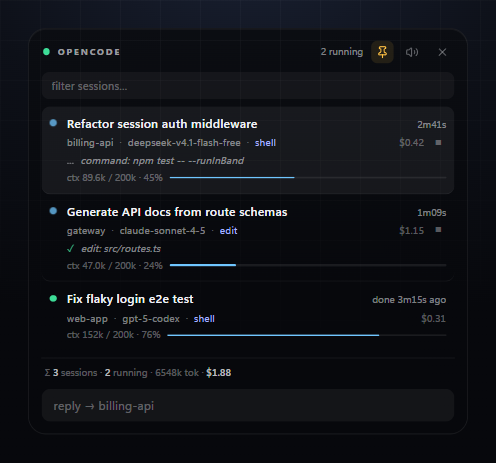
Titles, folders, models, elapsed time and the exact tool call in flight.

Заголовки, папки, модели, время и текущий вызов инструмента.

ApprovalsПодтверждения

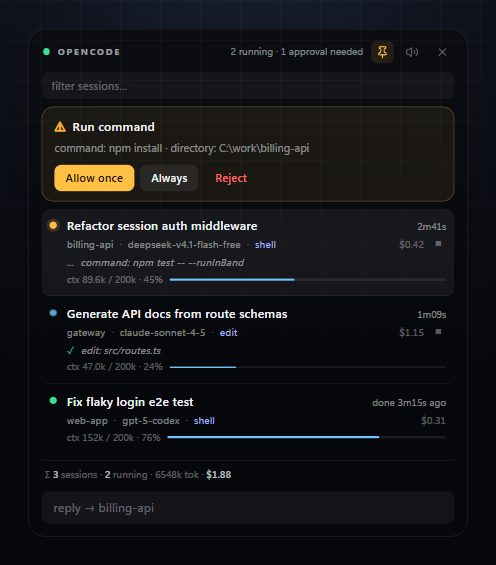
Allow once, always or reject — right from the notch, with a sound cue.

Разрешить раз, всегда или отклонить — прямо из notch, со звуком.

FormsФормы

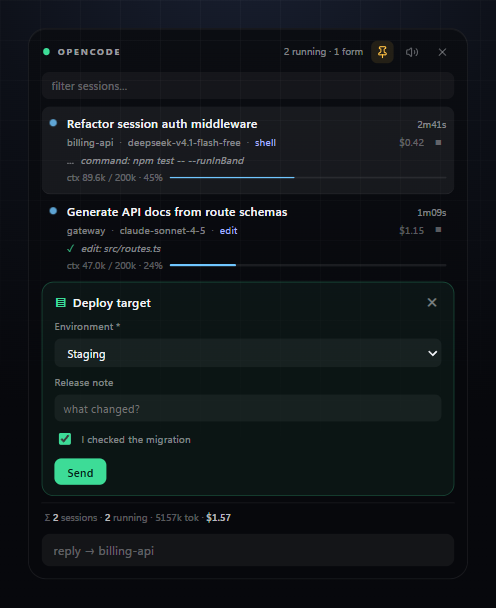
Agent questions rendered as real inputs: selects, checkboxes, validation.

Вопросы агента как настоящие поля: списки, чекбоксы, валидация.

Context usageРасход контекста

Per-session token usage and percentage of the model window, updated live.

Токены и процент окна модели по каждой сессии, в реальном времени.

Quick replyБыстрый ответ

Type the next instruction without leaving what you were doing.

Напишите следующую инструкцию, не переключая окно.

Session centerЦентр сессий

Rename, archive, restore or open any session in the OpenCode TUI.

Переименовывайте, архивируйте, восстанавливайте и открывайте сессии в OpenCode TUI.

Project viewsПроекты

Switch projects, group sessions, and reveal archived work when you need it.

Переключайте проекты, группируйте сессии и показывайте архив по требованию.

Command paletteПалитра команд

Press Ctrl/Cmd + K for keyboard-first commands and arrow-key navigation.

Нажмите Ctrl/Cmd + K для команд с клавиатуры и навигации стрелками.

Finish cardКарточка завершения

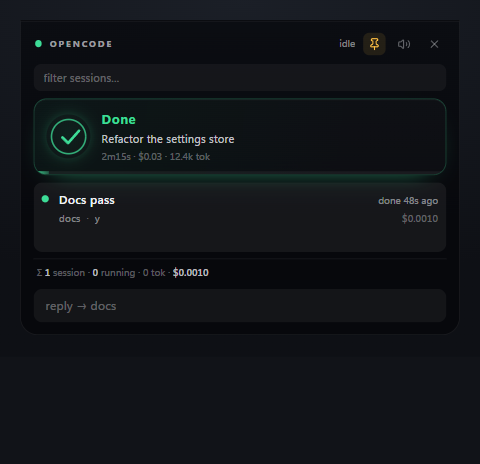
A Face ID-style confirmation when a run ends: time, cost, tokens, gone in four seconds.

Подтверждение в стиле Face ID: время, стоимость, токены — исчезает через четыре секунды.

Themes & languageТемы и язык

Notch, Midnight or Mono, and a full English / Русский interface, both picked from the tray.

Notch, Midnight или Mono и полный English / Русский интерфейс — всё в меню трея.

Update nudgeПлашка обновления

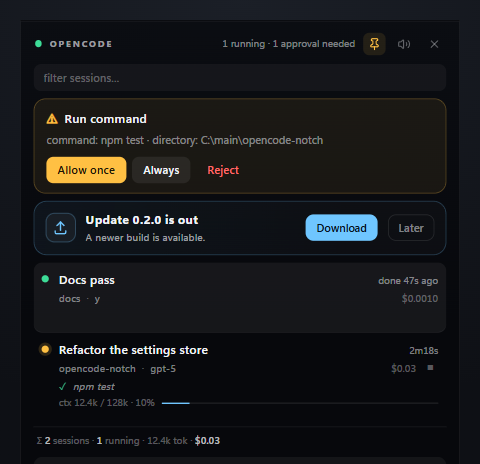
New releases show up as a card with Download / Later. Never forced, never a modal.

Новые релизы появляются карточкой со «Скачать» / «Позже». Не навязчиво и без модалок.

Stays out of the wayНе мешает

Collapsed to a pill, expands on hover, stays where you drag it.

Свёрнут в пилюлю, раскрывается при наведении, остаётся там, куда перетащили.
Screenshots

Скриншоты

Approval request
An approval waiting for you
Подтверждение ждёт вас
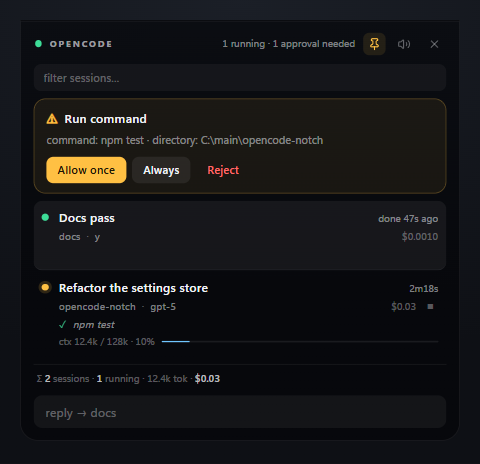
Sessions
Three sessions, one finished
Три сессии, одна завершена
Form
A form answered inside the notch
Форма, заполненная прямо в notch
Finish confirmation
A run just finished
Запуск только что закончился
Update offer
A new release, offered not forced
Новый релиз — предлагаем, не навязываем

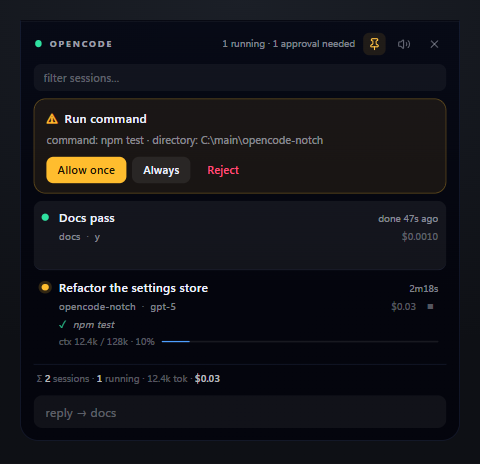
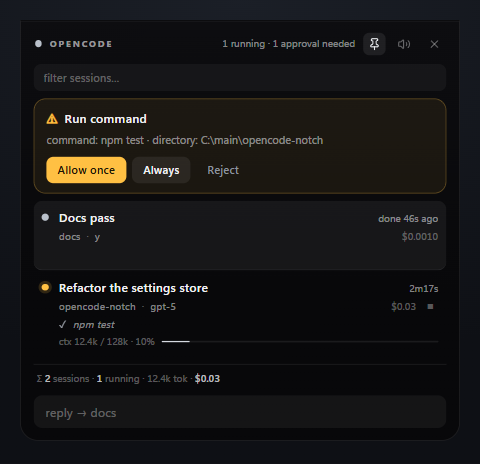
Three themes

Три темы

Notch theme
Notch — green accent, the defaultзелёный акцент, по умолчанию
Midnight theme
Midnight — colder base, brighter dotsхолоднее база, ярче точки
Mono theme
Mono — greyscale, colour only for alertsгрейскейл, цвет только у алертов

Install

Установка

  1. Download the installerСкачайте установщик
    OpenCodeNotch-Setup-0.3.2.exe from the Releases page.OpenCodeNotch-Setup-0.3.2.exe со страницы Releases.
  2. Run itЗапустите его
    Installs for your user only — no admin prompt — and adds Start-menu and desktop shortcuts.Ставится только для вашего пользователя — без прав администратора — и добавляет ярлыки в «Пуск» и на рабочий стол.
  3. Hover the capsuleНаведите на капсулу
    The black capsule appears at the top of your screen. If OpenCode is closed, the panel offers to start it. Prefer portable? Grab the zip instead and unzip anywhere.Чёрная капсула появится сверху экрана. Если OpenCode закрыт, панель предложит его запустить. Нужен портативный вариант — берите zip и распакуйте куда угодно.
  4. Or use wingetИли через winget
    winget install Fraches.OpenCodeNotch — updates through winget. The package can trail the newest release by a few days.winget install Fraches.OpenCodeNotch — обновления через winget. Пакет может отставать от последнего релиза на пару дней.
Windows may warn that the app is unsigned: click More info → Run anyway. Build it yourself with npm start if you prefer.
Windows может предупредить, что приложение без подписи: нажмите Подробнее → Выполнить в любом случае. Можно собрать самому через npm start.
Code signing policy: free code signing provided by SignPath.io, certificate by SignPath Foundation. Team roles, privacy statement and build details are on the code signing policy page.
Политика подписи кода: бесплатная подпись предоставлена SignPath.io, сертификат — SignPath Foundation. Роли команды, приватность и сборка описаны на странице политики подписи.